Manage Safari Extension via DDM with Jamf Pro Blueprints
Use Jamf Pro Blueprints to keep the Cyberhaven Safari extension enabled for managed devices.
Configure the blueprint
- From the Jamf home page, select Blueprints.
- Click Create blueprint.
- Rename the untitled blueprint.
- In the Components library, select Safari Extensions.
- Enter the extension identifier:
io.cyberhaven.lightbeam.CyberhavenSafariExtension.Extension (6KKW3K37TU). - Set Extension State to Always On.
- Set Private Browsing State to Allowed.
- Select the checkbox next to Allowed Domains and enter
*in the Allowed Domains field. 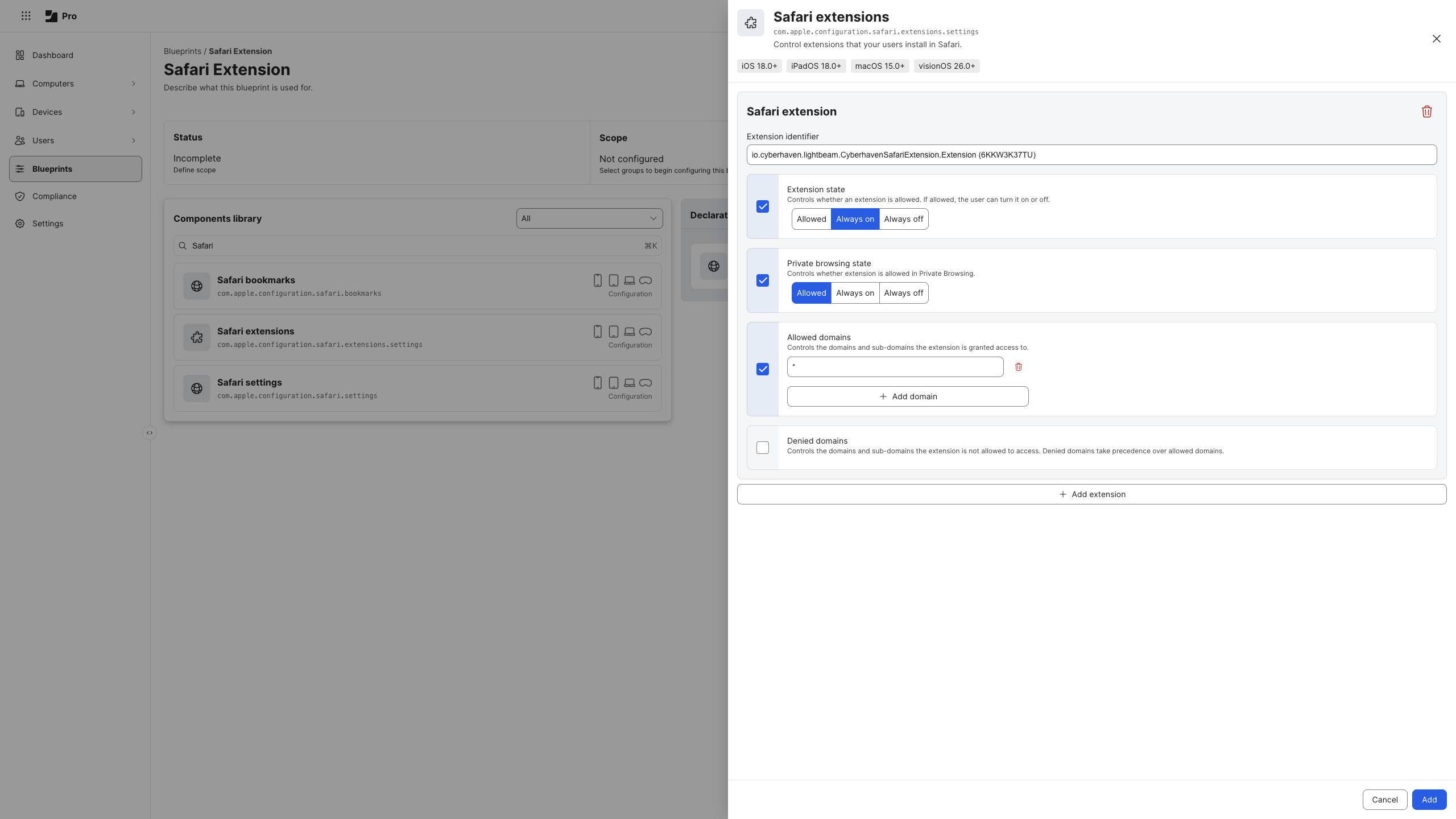 - Select the device scope you want to manage. Click Save. 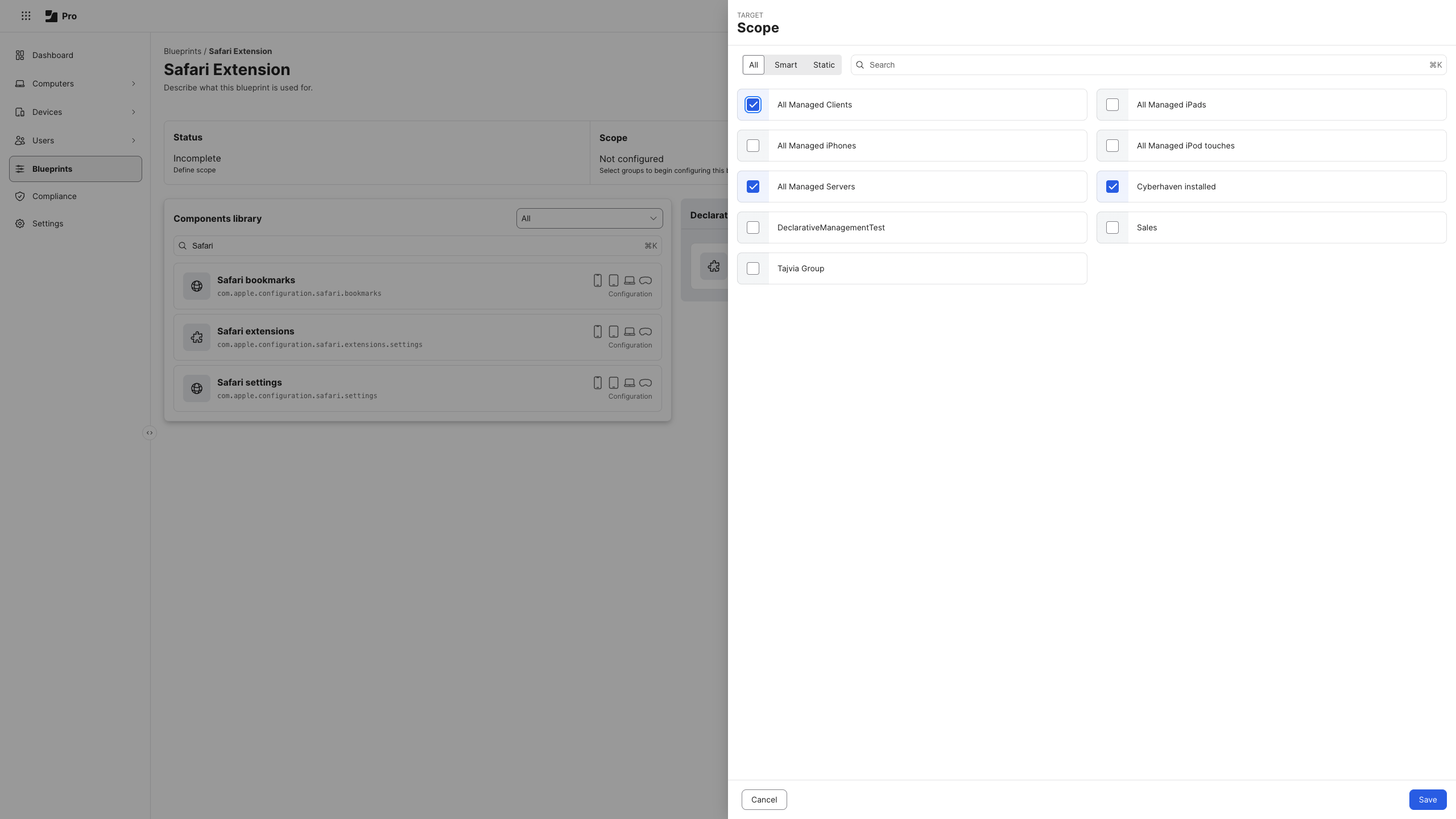
- Confirm the blueprint deploys successfully before validating on a local machine.